

Finding cheap RDP Windows in 2026 is no longer just about price — it’s about stability, security, and real performance. Many users searching for the cheapest RDP end up with suspended servers, blacklisted IPs, or unusable resources. As a server administrator managing enterprise-grade virtualization stacks, I’ve seen firsthand how risky “too cheap” RDP solutions can destroy productivity.
Whether you’re running automation tools, Forex platforms, surveys, or administrative workloads, buying RDP cheap without risk requires understanding how the infrastructure works behind the scenes. Cheap does not have to mean unreliable — if you know what to look for.
This guide breaks down what cheap RDP Windows actually is, how to avoid unsafe providers, and how modern platforms like DigiRDP deliver discount RDP plans without compromising uptime, bandwidth, or compliance. If you want performance that meets modern standards in 2026, this article is written for you.
Table of Contents
What is Cheap RDP Windows?
Cheap RDP Windows is a remote Windows server offered at a lower price point than traditional VPS or dedicated servers. These servers allow users to access a Windows desktop remotely, 24/7, from anywhere in the world.
However, not all cheap RDP services are equal.
From a backend perspective, legitimate cheap RDP providers rely on:
- Licensed Windows Server 2019/2022
- KVM or Hyper-V virtualization
- SSD or NVMe 4.0 storage
- Dedicated resource allocation
- Clean IPv4 addresses
Unsafe providers often use cracked Windows builds, recycled IPs, or overloaded nodes, leading to frequent bans and downtime.
In 2026, modern cheap RDP Windows must meet baseline performance standards to remain usable — especially for automation, trading, or admin tasks.
How to Buy RDP Cheap Safely
Buying RDP cheap safely is about risk mitigation, not just pricing.
1. Check Virtualization Type
Avoid OpenVZ or container-based RDPs.
Look for:
- KVM or Hyper-V
- Full kernel isolation
- Predictable CPU scheduling
DigiRDP deploys enterprise-grade virtualization to prevent noisy neighbors and resource throttling.
2. Verify Hardware Specs
A reliable cheap RDP should disclose real hardware:
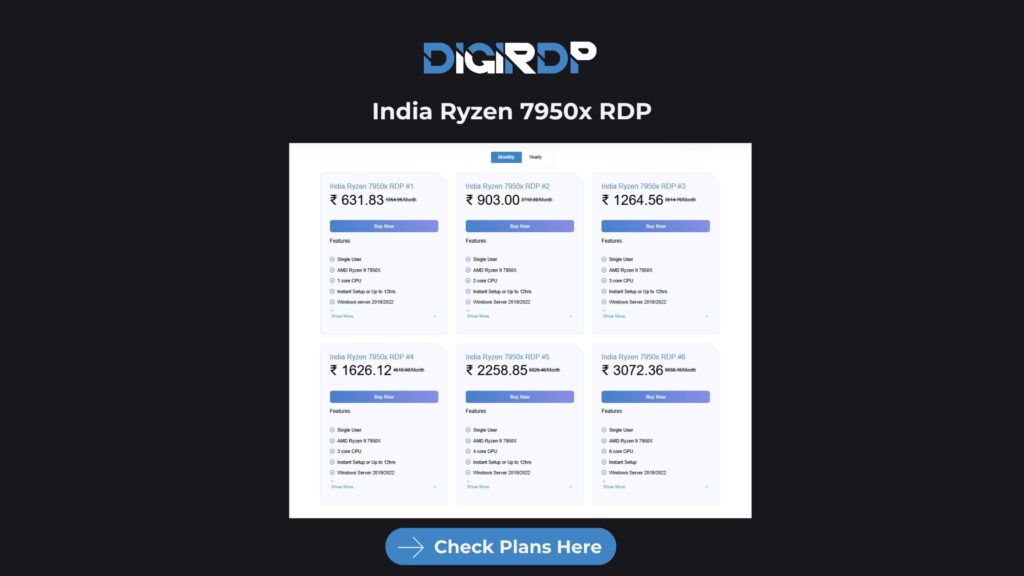
- CPU: AMD Ryzen 9 7950X or EPYC 7003 Series
- Storage: NVMe 4.0 SSD
- RAM: Guaranteed, not “up to”
- Network: 1Gbps minimum port speed
High-performance workloads or multi-tab automation benefit from Ryzen-based plans like this
3. IP Reputation Matters
Cheap RDPs with abused IPs get blocked quickly.
Safe providers:
- Rotate clean IP ranges
- Monitor abuse reports
- Avoid recycled cloud IPs
This is critical for survey work, account management, and ad platforms.
4. Avoid “Free RDP” Traps
Free RDPs are:
- Shared with hundreds of users
- Often compromised
- Logged and unsafe
If privacy or uptime matters, never rely on free RDP for production use.
Cheapest RDP Providers Compared
Below is a realistic comparison from a server admin standpoint:
| Feature | DigiRDP | Generic Cheap RDP |
|---|---|---|
| Windows License | Genuine | Often Cracked |
| Storage | NVMe 4.0 | HDD / SATA SSD |
| CPU | Ryzen / EPYC | Unknown |
| Bandwidth | 1Gbps+ | Throttled |
| Uptime | 99.9% | Unstable |
| Support | Admin-level | Ticket Only |
| IP Quality | Clean | Frequently Blacklisted |
The cheapest RDP isn’t the one with the lowest price — it’s the one that doesn’t fail when you need it.
Discount RDP vs Free RDP
Discount RDP
- Paid but affordable
- Licensed OS
- Stable uptime
- Private environment
Free RDP
- Shared resources
- Security risks
- Frequent disconnects
- High ban rate
From an infrastructure perspective, discount RDP plans are optimized using node density balancing, allowing providers to reduce cost without sacrificing performance.
Use Cases for Cheap Windows RDP
1. Forex Trading (MT4/MT5)
Low-latency execution requires:
- Stable CPU clocks
- Consistent RAM
- 24/7 uptime
Avoid oversold RDPs — they cause slippage.
2. Survey & Automation Work
Cheap RDP Windows is widely used for:
- Multi-account survey platforms
- Automation scripts
- Browser-based workflows
Clean IPs and session stability are mandatory.
3. Streaming & Encoding Tasks
For video workloads, always choose optimized streaming servers
4. Admin & Remote Work
System administrators use cheap RDP for:
- Monitoring dashboards
- Backup verification
- Remote task execution
Modern Standards for Cheap RDP Windows (2026)
In 2026, a professional cheap RDP should include:
- Windows Server 2022
- NVMe RAID storage
- DDR4/DDR5 ECC RAM
- 1Gbps–10Gbps uplinks
- Automated backups
- DDoS-protected networking
Enterprise providers now deploy EPYC-based clusters like
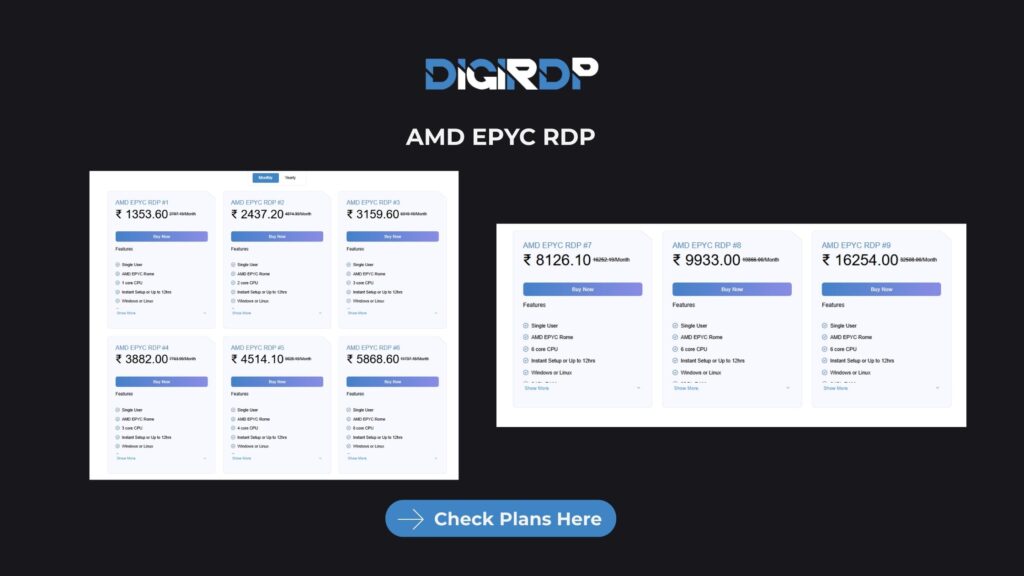
to maintain affordability while scaling performance.
Conclusion
Choosing cheap RDP Windows in 2026 is no longer about finding the lowest price—it’s about selecting a service that balances affordability with reliability, security, and modern infrastructure standards. As this guide has explained, buying RDP cheap without risk requires understanding how the server is built, how resources are allocated, and whether the provider follows proper licensing and networking practices. Cheap RDP can absolutely support real workloads such as Forex trading, automation, surveys, and remote administration when it is backed by clean IPs, NVMe storage, stable virtualization, and consistent uptime.
The key takeaway is simple: a trustworthy cheap RDP should save money without costing you performance or peace of mind. By focusing on transparent hardware specifications, professional server management, and long-term stability, users can avoid common pitfalls like bans, downtime, and data exposure. When these factors align, cheap Windows RDP becomes a practical, scalable solution that meets modern computing demands and continues to perform reliably well beyond 2026.
Is cheap RDP Windows safe to use in 2026?
Cheap RDP Windows can be completely safe when it is provided by a legitimate hosting company using licensed Windows Server operating systems, modern virtualization such as KVM or Hyper-V, and properly monitored infrastructure. The risk usually comes from unverified sellers who use cracked Windows builds, reused IP addresses, or heavily oversold servers. A safe cheap RDP should offer clean IPs, predictable performance, and basic security controls such as firewall rules and login protection. When these standards are met, low-cost RDP solutions are suitable even for professional workloads.
Why are some RDP services advertised as extremely cheap or free?
Extremely cheap or free RDP services usually reduce costs by compromising critical areas of the infrastructure. This often includes sharing one server among hundreds of users, skipping Windows licensing, reusing blacklisted IP addresses, or running outdated hardware. These shortcuts lead to frequent disconnections, poor performance, higher ban rates, and security vulnerabilities. In many cases, free RDPs are also monitored or resold, making them unsuitable for any serious or long-term use.
Can cheap RDP Windows be used for Forex trading or financial platforms?
Cheap RDP Windows can be used for Forex trading platforms such as MT4 or MT5 if the server provides stable CPU performance, guaranteed RAM, and consistent uptime. Trading environments are sensitive to latency spikes and resource throttling, which often occur on oversold RDP nodes. A properly configured cheap RDP running on modern processors like AMD Ryzen or EPYC with NVMe storage can handle trading tasks reliably, provided the provider does not overload the server.
What is the difference between a cheap RDP and a VPS?
A cheap RDP is designed primarily for users who want direct access to a Windows desktop environment via Remote Desktop Protocol, while a VPS is a more general-purpose virtual server that may or may not include a graphical interface. RDP solutions are typically optimized for ease of use, quick deployment, and desktop-based workflows, whereas VPS hosting requires more technical setup and is often managed via command line. For users who need immediate Windows access, RDP is usually the simpler and more cost-effective choice.
How quickly can a cheap Windows RDP be activated after purchase?
With modern automation and virtualization platforms in 2026, most professional RDP providers can deploy a cheap Windows RDP within a few minutes after payment confirmation. Automated provisioning systems install the operating system, assign resources, configure networking, and deliver login credentials almost instantly. Delays usually indicate manual setups or poorly managed infrastructure, which can be a warning sign of unreliable service.
Final Insight
Explore advanced server knowledge beyond RDP solutions. For professionals seeking deeper understanding of dedicated hosting performance, real-world optimization strategies, and infrastructure-level comparisons, DigiRDP maintains an expert-driven knowledge center curated by experienced system administrators. Discover detailed guides on modern server deployment, hands-on tuning techniques, and evolving hosting standards by visiting the official DigiRDP Blog— your resource for staying aligned with enterprise-grade server practices in 2026 and beyond.
Recommended Products
Windows RDP
Customized Windows RDP solutions with full admin access, perfect for remote work and development.
- Full Admin Access
- SSD Storage
- 24/7 Support
- Multiple Locations